Hospital CCTV Security: PPE, Access Control & Patient Privacy
Learn how hospital CCTV supports PPE checks, after-hours access and restricted-area security while helping hospitals protect patient privacy.
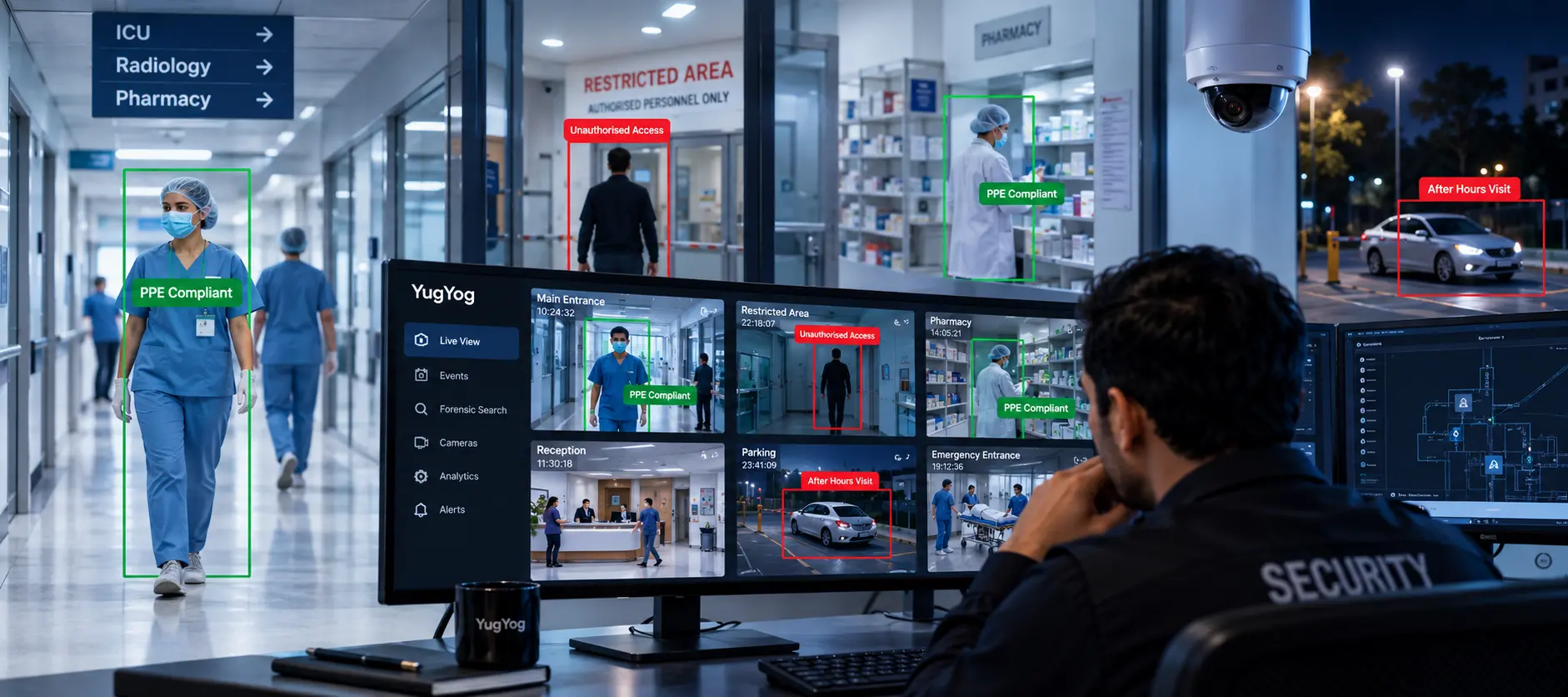
Hospitals operate around the clock and contain spaces with very different security requirements. A public reception area, an emergency entrance, a medicine storage room and a clinical treatment area cannot all be monitored in the same way.
Security teams must consider several overlapping responsibilities:
- Patient and visitor safety: Identifying relevant activity in entrances, corridors and public areas.
- Access control: Monitoring movement around restricted locations and investigating possible unauthorised entry.
- PPE compliance: Supporting the observation of protective equipment requirements in designated areas.
- After-hours monitoring: Reviewing activity when staffing and visitor access arrangements change.
- Privacy and confidentiality: Preventing unnecessary surveillance and limiting access to sensitive recordings.
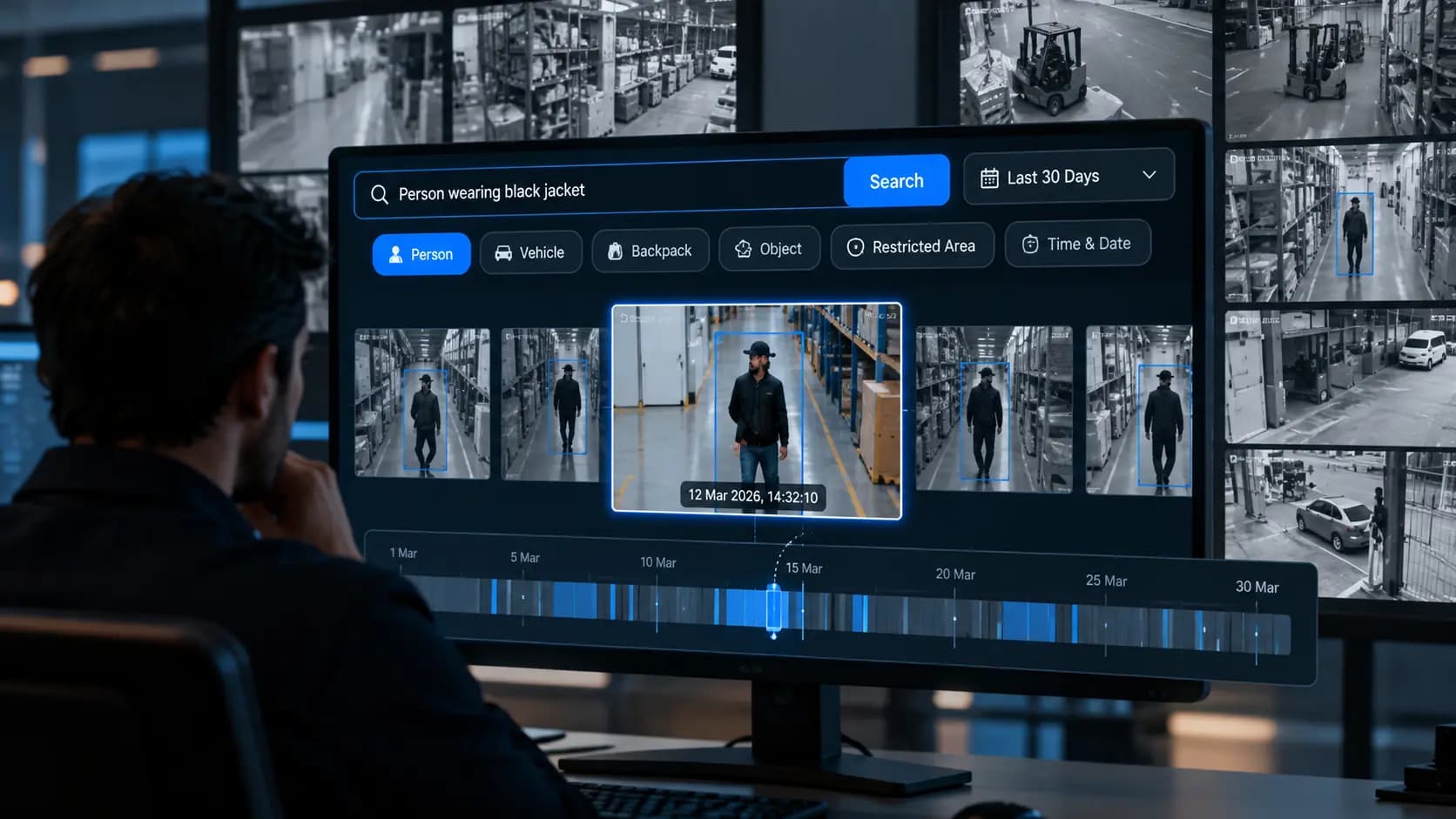
- Incident investigation: Finding relevant footage without manually reviewing hours of recordings.
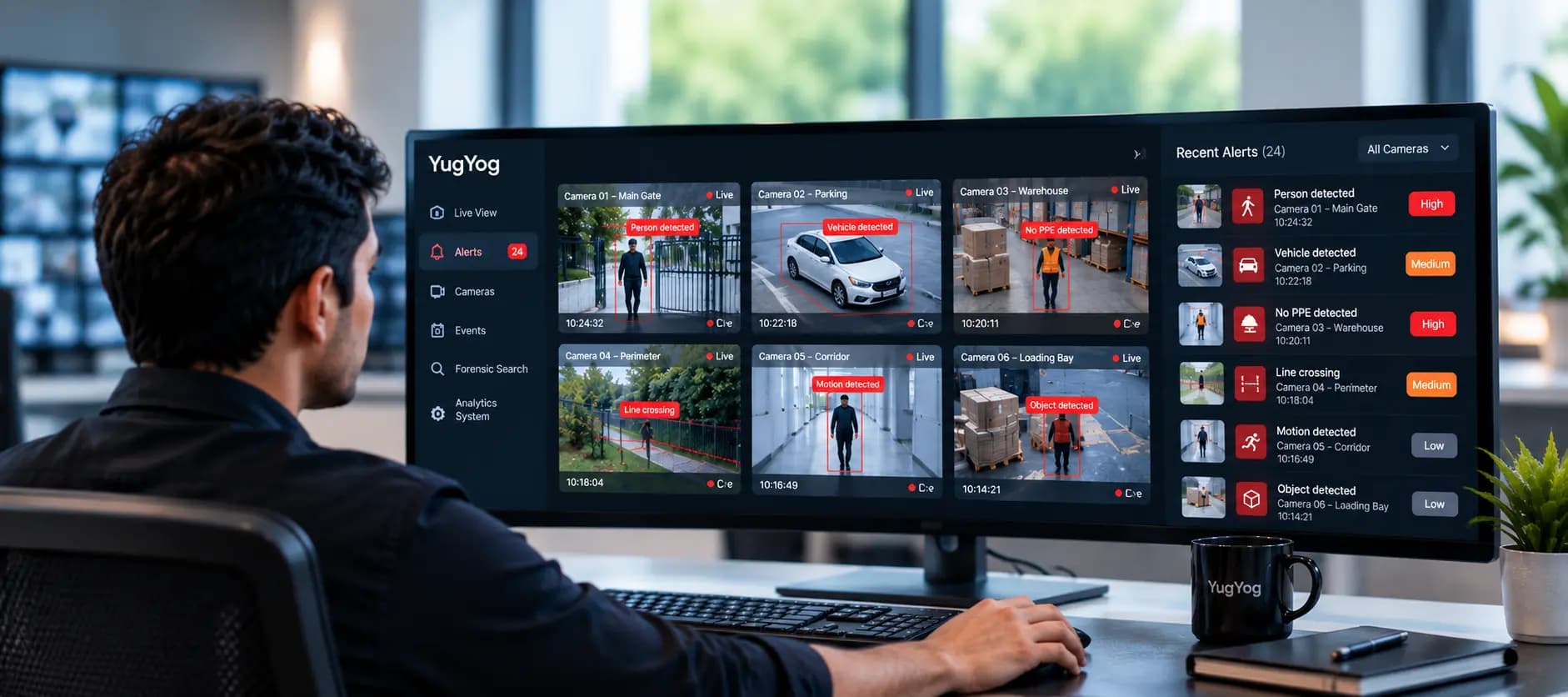
A conventional CCTV system can record events, but the usefulness of those recordings depends on camera coverage, monitoring practices, retention settings and how quickly staff can locate relevant footage. A video analytics layer can help surface selected events for review, provided the relevant detection is supported and correctly configured.
For healthcare-specific applications, explore YugYog's healthcare solutions.
1. PPE Compliance Monitoring in Hospitals
Personal protective equipment (PPE) is an important part of infection prevention and occupational safety. Depending on the clinical task, location and assessed risk, requirements may include gloves, masks, gowns or eye protection.
Where can CCTV support PPE monitoring?
Hospitals may have designated areas where PPE requirements are particularly important, such as:
- Isolation-unit entrances and controlled clinical zones.
- Specific laboratory or specimen-handling areas.
- Selected treatment or support areas with defined protective-equipment procedures.
- Entry points where staff are expected to prepare before entering a designated zone.
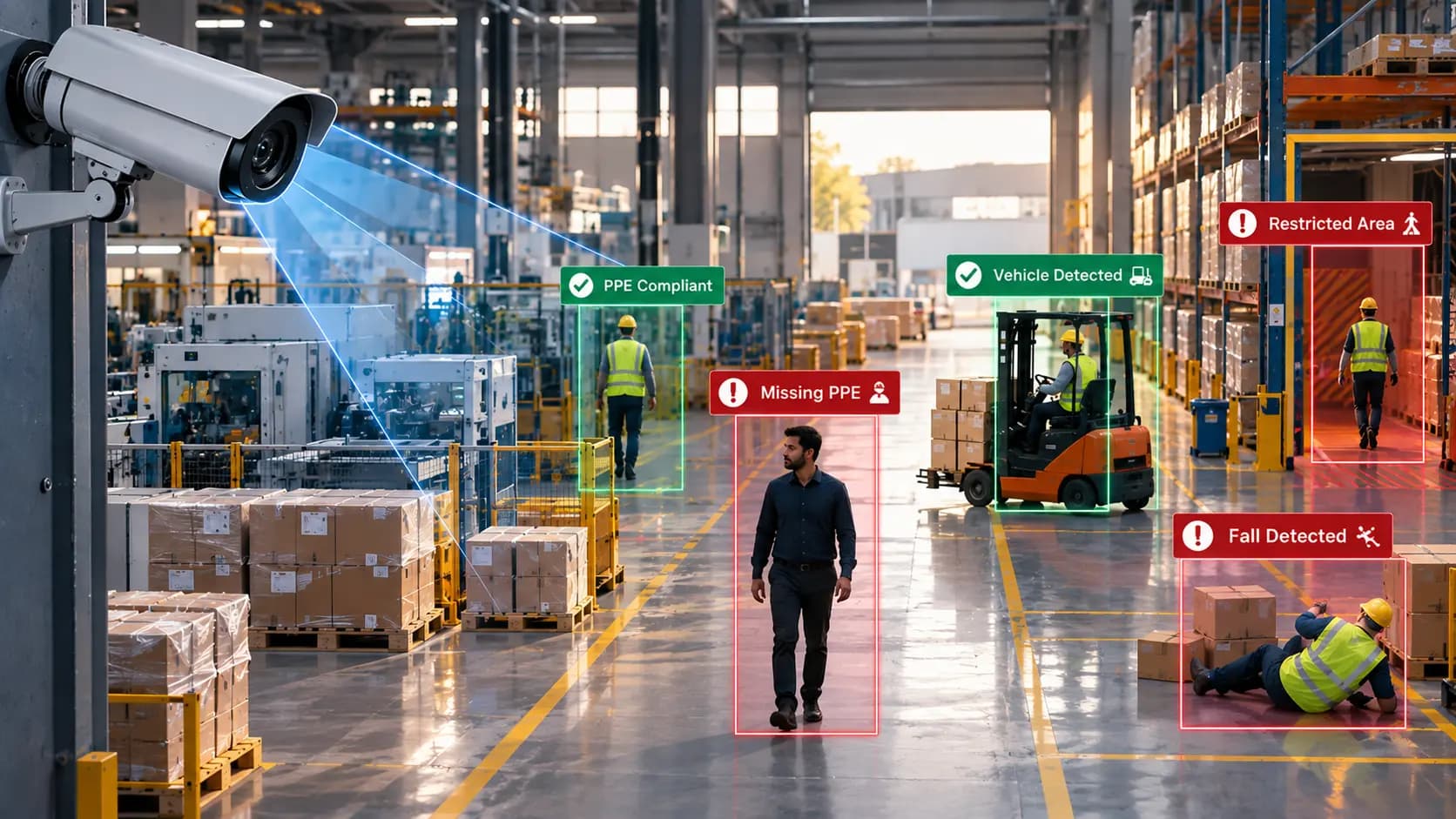
Where supported by the deployed analytics configuration, video-based PPE detection may help flag apparent non-compliance for review. For example, a configured system might flag a person entering a designated monitored area when a required, detectable item appears to be missing.
However, camera analytics should not be treated as a complete infection-control assessment. A camera may not reliably establish whether equipment is worn correctly, whether it meets the clinical requirement or whether a person is exempt under a particular procedure. Occlusion, lighting, camera angle and equipment variations can also affect detection.
A practical PPE monitoring workflow
- Define the monitored zone. Identify where a specific PPE requirement applies and confirm the relevant hospital policy.
- Configure and test the detection. Validate the supported PPE detection under realistic lighting, camera angles and movement conditions.
- Review flagged events. Route relevant notifications to an appropriate team member for verification rather than treating every alert as a confirmed violation.
- Measure outcomes. Track verified events, missed detections, false alerts and time taken to review and resolve them.
Hospitals can also read What Is PPE Detection and How Does It Improve Safety? for a deeper explanation of PPE detection.
2. After-Hours Hospital Security and Visitor Access
Hospitals do not close when visiting hours end. Emergency departments continue operating, clinical teams change shifts and authorised personnel may need access to areas that are closed to the general public.
The security challenge is not simply detecting movement at night. It is determining whether activity in a particular location and time window requires attention.
What can hospital CCTV help monitor after hours?
Depending on camera coverage and supported analytics, hospitals can configure monitoring for scenarios such as:
- Movement near a closed public entrance.
- Entry into a designated staff-only corridor.
- Activity around a restricted room outside its usual operating period.
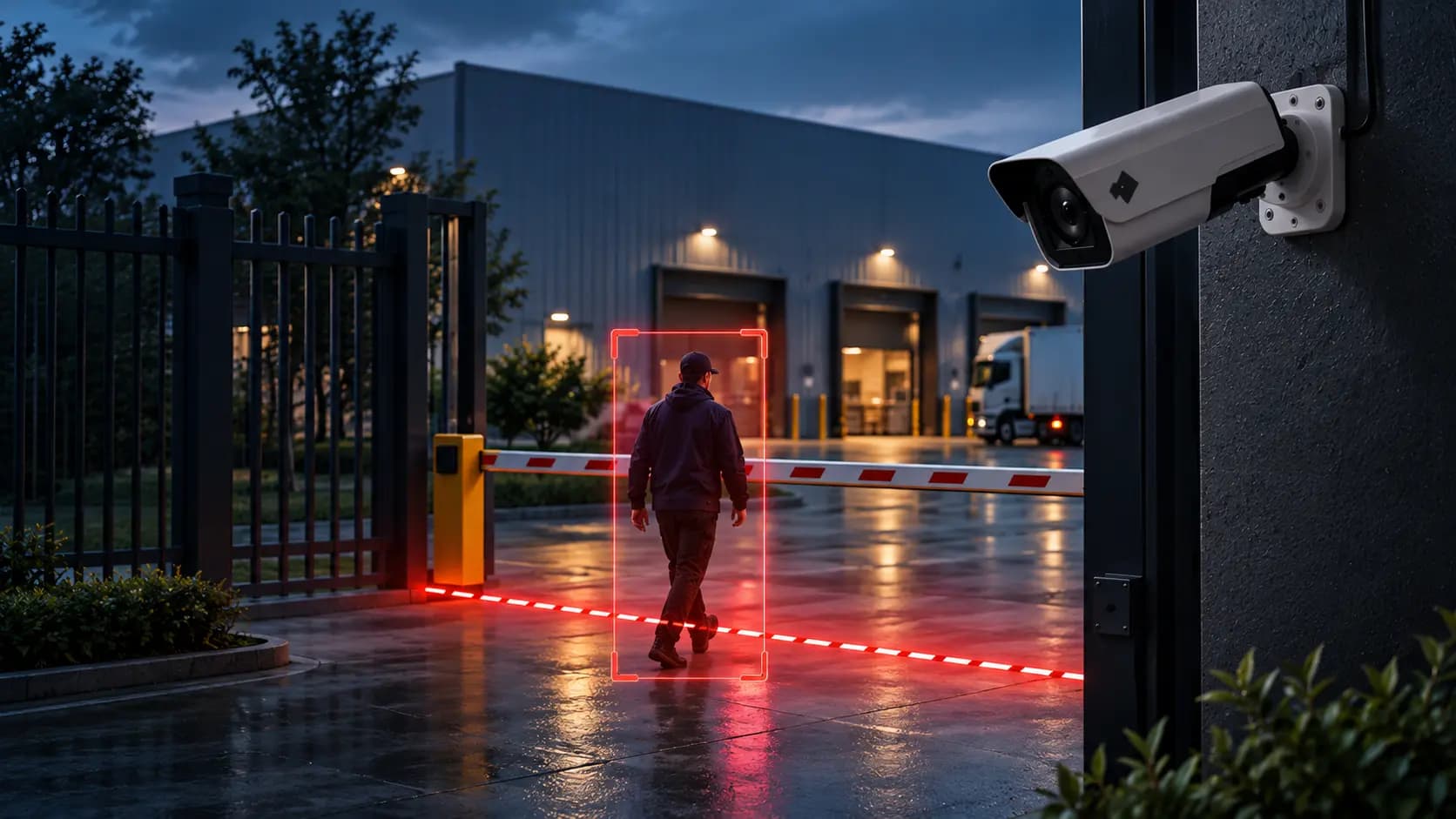
- Crossing a virtual boundary into an area that should remain controlled.
- Unexpected activity around a sensitive storage or equipment area.
For example, a hospital may configure a monitored zone around a medicine storage entrance. Activity during a defined period could generate an event for security staff to verify against access records and operational requirements.
A CCTV alert does not, by itself, prove that someone is unauthorised. Cameras generally cannot establish a person's access entitlement solely from their appearance. Hospitals should correlate video events with approved visitor schedules, access-control records, staff rosters or other relevant information where available.
How to make after-hours monitoring useful
- Define operating hours and exceptions. Account for emergencies, overnight clinical services, cleaning, maintenance and shift changes.
- Prioritise sensitive locations. Focus on entrances and restricted areas where unauthorised access could create a material risk.
- Set meaningful alert rules. Avoid sending notifications for routine activity that staff are already authorised to perform.
- Verify before escalating. Have a clear process for checking the event, confirming context and contacting the appropriate team.
- Review recurring patterns. Repeated events may indicate a confusing access procedure, an incorrectly configured rule or a genuine security gap.
3. Monitoring Restricted Areas and Sensitive Equipment
Some hospital areas require more controlled access than general patient and visitor spaces. Depending on the facility, these may include pharmacies, medicine stores, laboratories, medical equipment rooms, records storage and selected staff-only areas.
Security requirements should be defined for each location rather than applying one rule across the entire hospital.
Examples of restricted-area monitoring
|
Hospital area |
Potential monitoring objective |
Important consideration |
|
Pharmacy or medicine store |
Flag activity around a monitored entrance or restricted zone |
Verify events against access permissions and pharmacy procedures |
|
Laboratory |
Monitor movement around designated restricted boundaries |
Follow laboratory safety and confidentiality requirements |
|
Medical equipment room |
Review activity near valuable or critical equipment |
Account for authorised servicing and clinical emergencies |
|
Records storage |
Flag activity in a designated access-restricted area |
Protect confidential information and limit footage access |
|
Staff-only corridor |
Identify movement across a configured boundary |
Allow for legitimate staff movement and emergency access |
Video analytics can help highlight events within camera views, but it does not replace electronic access controls, locks, staff authorisation or inventory procedures.
A practical approach is to combine clear access policies with suitable physical controls and CCTV monitoring. Where video events are available, the hospital can use them to guide verification and investigation rather than relying on recordings alone.
To understand how camera systems can be connected across different environments, see YugYog's camera integration capabilities.
4. Incident Investigation Without Reviewing Hours of Footage
When a hospital reports a security incident, teams may need to establish what happened, when it happened and which monitored areas were involved. Searching recordings manually across multiple cameras can make this process time-consuming, especially when the precise time of the incident is uncertain.
A useful video investigation workflow should help staff move from a report to relevant footage while preserving the context needed for a fair review.
A practical investigation workflow
- Record the incident details: Capture the reported time range, location and type of event.
- Identify relevant cameras: Determine which camera views cover the location and possible approach routes.
- Search or filter available events: Use supported event records or forensic search functions to narrow the footage to review.
- Verify the sequence: Check the surrounding footage rather than interpreting a single frame in isolation.
- Document the outcome: Record who reviewed the footage, what was established and any follow-up action.
- Preserve relevant evidence: Apply the hospital's retention, access and evidence-handling procedures.
YugYog's forensic search capabilities and event intelligence are relevant areas to evaluate when assessing whether a platform can support the hospital's investigation workflow. Exact search functions and event types should be validated against the proposed deployment.
5. Patient Privacy: Where Hospital CCTV Should Be Used Carefully
Hospitals handle highly sensitive personal information. Video footage can reveal a person's identity, movements, visits and circumstances in which they sought care. Surveillance that improves security in one area can create unnecessary privacy risks in another.
The goal should not be to install cameras everywhere. It should be to collect the minimum footage needed for a clearly defined and legitimate purpose.
Practical principles for privacy-conscious hospital surveillance
Choose camera locations carefully. Prioritise entrances, public corridors, loading areas and other locations where surveillance is justified. Avoid cameras in toilets, changing rooms and other areas where people reasonably expect privacy. Clinical spaces require particularly careful assessment.
Define the purpose of each camera. Document the risk being addressed, the area monitored and the team responsible for the footage. Avoid collecting footage simply because a camera can be installed.
Restrict access to recordings. Only authorised personnel should be able to view, export or manage sensitive video. Permissions should reflect job responsibilities, not general convenience.
Set appropriate retention periods. Retain footage according to the hospital's documented purposes, applicable legal obligations and incident-handling requirements. Avoid indefinite retention without a valid basis.
Maintain an audit trail. Record relevant access and administrative activity so the hospital can investigate inappropriate viewing or handling of footage.
Inform people appropriately. Use suitable notices and internal policies to explain surveillance purposes and provide relevant information about how footage is handled.
Does hospital CCTV replace clinical supervision?
No. CCTV and video analytics can support security and selected operational workflows, but they do not replace clinical judgement, bedside supervision, infection-control protocols or emergency response procedures. Any proposed use in patient-care settings should be assessed with clinical, security, privacy and governance teams before deployment.
YugYog's security information is a useful starting point when reviewing access permissions, auditability and deployment-related security considerations. Hospitals should verify the exact controls available in the proposed configuration and ensure they meet their own requirements.
6. How to Evaluate a Hospital CCTV Video Analytics System
A hospital should evaluate surveillance technology against its actual operational requirements rather than selecting a system based only on the number of detection features it lists.
Start with a limited set of use cases, test them under real conditions and measure whether the system improves the team's ability to identify and investigate relevant events.
Hospital CCTV evaluation checklist
|
Evaluation area |
What to check |
Example metric |
|
Detection quality |
Does the configured detection identify relevant events under hospital conditions? |
Verified detection rate and missed-event rate |
|
False alerts |
How often does a notification turn out to be irrelevant? |
False alerts per camera per day |
|
Response workflow |
Can the correct team receive and verify events promptly? |
Median time from alert to review |
|
Investigation |
Can staff find the relevant footage efficiently? |
Median time to locate and export a relevant clip |
|
Camera compatibility |
Can the system use the existing cameras and streams required by the hospital? |
Percentage of required cameras integrated successfully |
|
Privacy and governance |
Are access, retention and audit requirements satisfied? |
Access-review completion and audit exceptions |
|
Reliability |
Does the system remain usable during expected operating conditions? |
Availability, stream interruptions and unresolved faults |
These are proposed evaluation metrics, not claims about guaranteed results or YugYog's performance. Define each metric before the pilot so results can be compared fairly.
Questions to ask before deployment
- Can the platform integrate with the hospital's existing IP cameras and network architecture?
- Which detection types are supported for the intended camera views and use cases?
- Can alert rules be configured to account for location, time and operational context?
- How are permissions, event logs and video exports managed?
- What deployment options are available for the hospital's network and data-handling requirements?
- How will the system be tested, maintained and reviewed after launch?
YugYog provides information about its platform architecture, including deployment considerations. Hospitals should assess whether the available options fit their specific infrastructure, security policies and operational needs before making a procurement decision.
7. Implementation: Start with a Focused Hospital CCTV Pilot
A phased pilot helps a hospital understand what works before expanding monitoring across the facility.
Phase 1 — Define the problem. Select one or two high-priority scenarios, such as after-hours movement around a restricted entrance or PPE monitoring in a designated area.
Phase 2 — Review camera coverage. Check field of view, lighting, image quality, network access and whether the camera angle is suitable for the selected detection.
Phase 3 — Configure and validate. Test supported detections against representative routine activity, authorised exceptions and known limitations. Involve security and clinical stakeholders where appropriate.
Phase 4 — Establish response procedures. Decide who receives alerts, how events are verified, when escalation is appropriate and how incidents are documented.
Phase 5 — Measure and refine. Review detection quality, false alerts, response times, privacy concerns and staff feedback. Adjust the configuration or stop using a detection if it does not meet the hospital's requirements.
Phase 6 — Expand only when justified. Extend the system to other locations after the pilot demonstrates operational value and the necessary governance controls are in place.
This approach helps avoid a common mistake: expanding surveillance before confirming that alerts are useful, privacy safeguards are adequate and staff can act on the information.
Final Thoughts
Hospital CCTV security is about more than recording activity. It is about giving security and operational teams a practical way to monitor relevant areas, investigate events and support defined safety procedures without creating unnecessary surveillance.
PPE monitoring, after-hours access review, restricted-area monitoring and forensic investigation can all be valuable use cases when they match the hospital's needs and the deployed technology's verified capabilities. Equally important are camera placement, human verification, appropriate access permissions and clear retention policies.
For hospitals considering an upgrade, the best starting point is a focused use case, a realistic pilot and measurable criteria for success. Explore YugYog's healthcare solutions to assess how video intelligence may fit your existing camera environment, or contact the YugYog team to discuss your requirements.