AI Forensic Search in CCTV: How to Find Specific Incidents Faster
Discover how AI forensic search helps security teams find specific incidents in CCTV footage, investigate events and review recordings faster.
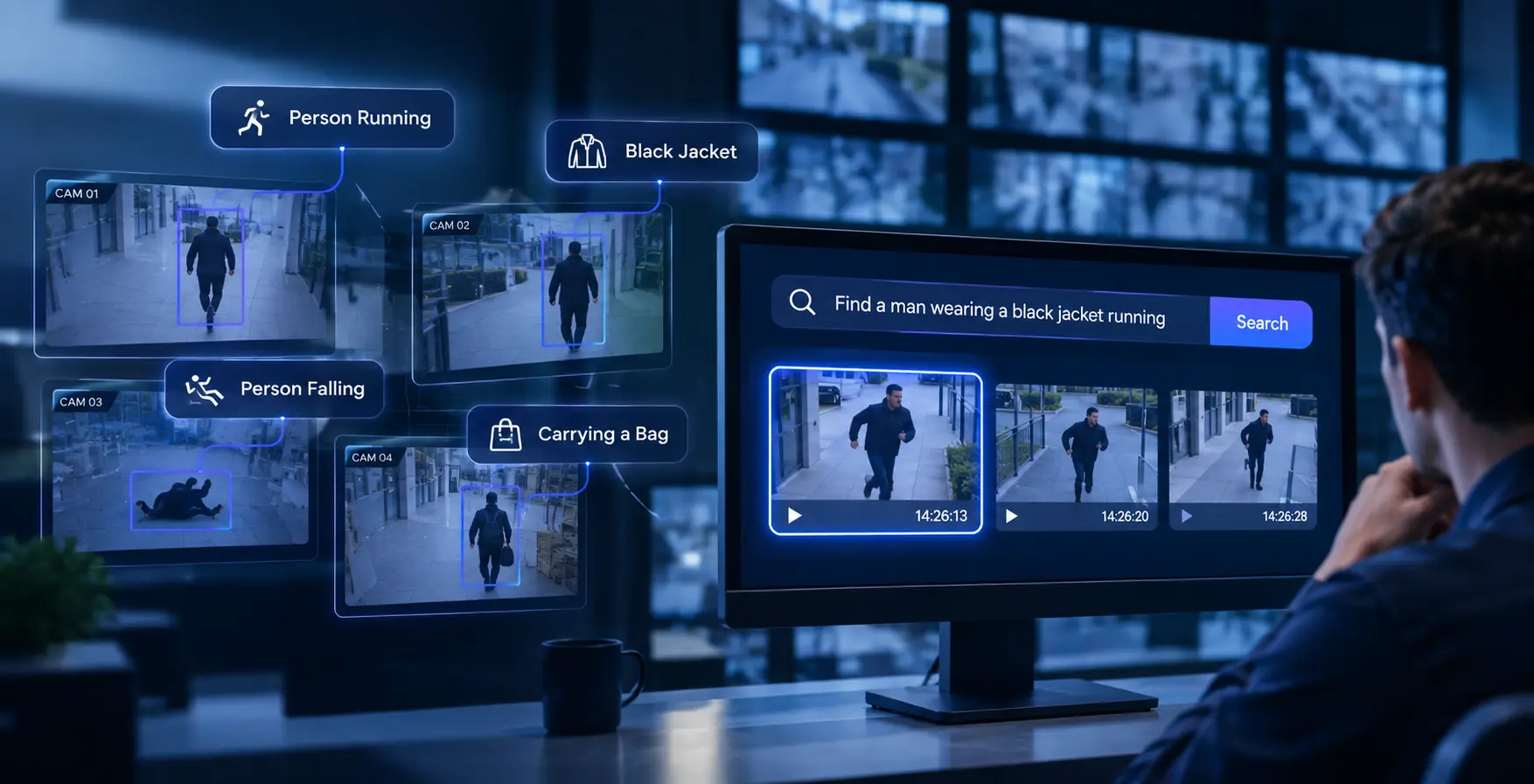
Imagine a security incident takes place inside your facility. Someone reports seeing a person in a black jacket running near the entrance. The exact time is unknown, and several cameras cover the area.
Your security team now has to find that moment in hours of recorded CCTV footage.
Traditionally, this means opening individual camera feeds, selecting time ranges, adjusting playback speeds and manually reviewing recordings until the relevant moment appears.
AI forensic search changes this process.
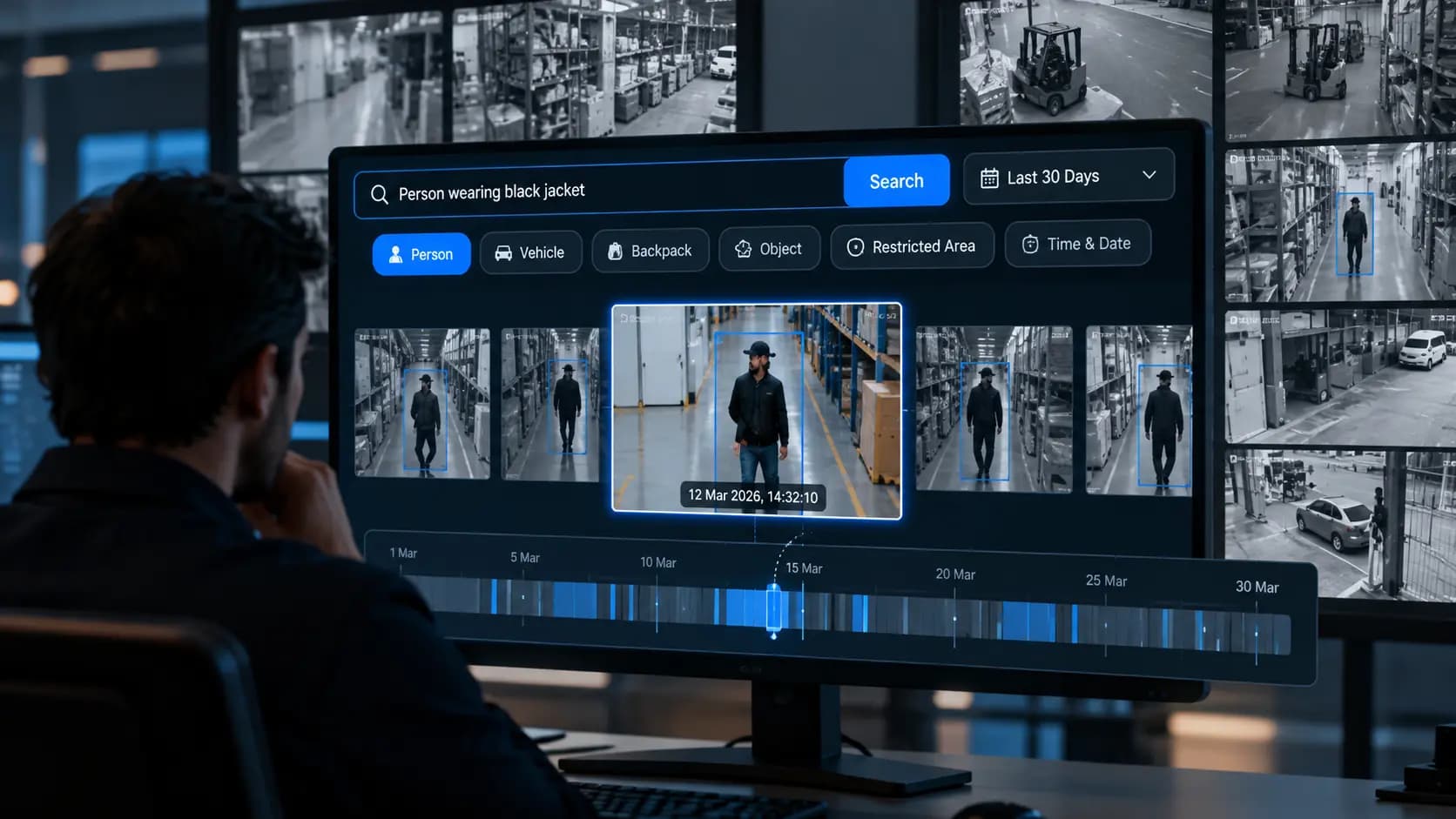
Instead of relying entirely on manual playback, security teams can use search capabilities to describe what they are looking for in plain English. For example, they may enter a query such as "Find a man wearing a black jacket" or "Show me a person running near the entrance" to locate potentially relevant footage.
This makes CCTV footage easier to investigate, particularly when the exact time or camera location is not known.
In this guide, we explain how AI forensic search works, how natural-language queries can help locate specific incidents, and what security teams should consider when choosing a CCTV search solution.
What Is AI Forensic Search in CCTV?
AI forensic search is a video investigation capability that helps security teams find relevant moments in recorded CCTV footage using searchable information rather than reviewing every recording manually.
Depending on the platform's capabilities, users may be able to search using:
- A description of a person or object.
- An activity, such as running, walking or falling.
- A location, such as an entrance, corridor or loading area.
- A specific event or detection category.
- A camera or time range, where that information is available.
For example, instead of manually checking multiple recordings, an operator could search for:
"Find footage of someone falling inside the facility."
The system can then help surface potentially relevant footage for the operator to review.
The exact search options depend on the AI models and search capabilities supported by the video analytics platform.
Why Is Finding Specific CCTV Footage So Difficult?
Most organisations already have cameras installed across their premises. The challenge is often not recording footage, but finding the right moment when an incident needs to be investigated.
Here are some common problems security teams face.
1. Hours of footage to review
A facility with multiple cameras can generate a large volume of recorded video every day. Reviewing recordings manually takes time, especially when the incident time is unclear.
2. The exact incident time is unknown
An employee may report an incident several hours after it happened. They might remember what they saw but not the exact time or camera location.
3. Multiple cameras cover the same area
An incident may appear across different camera views. Operators may need to check several recordings to understand what happened.
4. Manual playback slows down investigations
Rewinding, fast-forwarding and switching between camera feeds can make investigations repetitive and time-consuming.
5. Important details can be overlooked
When operators review large amounts of footage, finding a brief or unexpected event can be difficult. A relevant moment may be missed during manual review.
These challenges make searchable CCTV footage an important part of modern security operations.
How Does AI Forensic Search Work?
AI forensic search uses video analysis and search capabilities to help users locate relevant moments in recorded footage.
The process generally involves a few stages.
Step 1: CCTV footage is collected
Video is received from connected IP cameras and stored through the organisation's existing recording or video management infrastructure.
Camera compatibility and integration depend on the platform and supported camera protocols.
Step 2: AI analyses available video
Supported AI models analyse video to identify relevant visual information, activities or events.
Depending on the system, this may include people, objects, movement patterns and specific security events.
Step 3: The user enters a search query
The operator describes what they want to find.
For example:
"Show me a person carrying a bag near the warehouse loading area."
On platforms that support natural-language forensic search, the user can describe the scene instead of relying only on camera numbers or exact timestamps.
Step 4: Relevant footage is surfaced
The search system processes the query and helps retrieve potentially matching video segments from the available footage.
The operator can then review the returned clips to determine whether they relate to the incident.
Step 5: The incident is reviewed
Once the relevant footage is found, security teams can examine the recording, check the surrounding events and use available event records to support their investigation.
The quality of the results depends on factors such as video resolution, lighting, camera coverage, available recordings and the search capabilities supported by the platform.
Search CCTV Footage Using Plain-English Descriptions
One of the most useful developments in AI forensic search is the ability to describe what you are looking for in everyday language.
Think about a typical investigation.
You do not always know the camera number, exact timestamp or event category. You may only know that someone was running, carrying an object or entering a restricted area.
With natural-language search capabilities, operators can describe the person or activity they want to locate.
Here are examples of how such queries could be written:
Example 1: Finding someone by clothing
Search query:
"Find a man wearing a black jacket."
Example 2: Finding someone running
Search query:
"Show me a person running near the entrance."
Example 3: Finding a fall incident
Search query:
"Find footage of someone falling inside the facility."
Example 4: Finding someone carrying an object
Search query:
"Find a person carrying a bag near the warehouse loading area."
Example 5: Investigating restricted-area access
Search query:
"Show me people entering the restricted area after working hours."
These are illustrative prompts. The ability to retrieve matching footage depends on the platform's supported search models, available video, image quality and camera coverage.
Importantly, searching for a person based on clothing, activity, or visual attributes is different from identifying their real-world identity through AI-powered facial recognition or facial embeddings. Person detection and appearance-based searches do not, by themselves, establish a person's identity. Any results should be verified by the operator against the original footage before drawing conclusions.
Traditional CCTV Playback vs AI Forensic Search
Both approaches help security teams review recorded video, but they work differently.
|
Traditional CCTV Playback |
AI Forensic Search |
|
Operators manually review recordings. |
Users can search using supported AI search capabilities. |
|
Often requires camera and time-range selection. |
May support searches based on descriptions of people, objects or activities. |
|
Finding an unknown incident can take considerable manual effort. |
Helps narrow down potentially relevant footage. |
|
Operators repeatedly rewind and fast-forward recordings. |
Search results can help direct operators to relevant video segments. |
|
Investigations depend heavily on manual review. |
AI-assisted retrieval supports the investigation process. |
AI forensic search does not remove the need for human review. It helps security teams find footage more efficiently so that operators can focus on understanding the incident.
Where Can AI Forensic Search Be Used?
AI forensic search can support investigations across different environments where recorded video needs to be reviewed regularly.
1. Manufacturing Facilities
Manufacturing teams may need to investigate workplace incidents, unauthorised access or safety violations.
For example, a safety manager could search for footage showing someone falling near a production line or entering a restricted area.
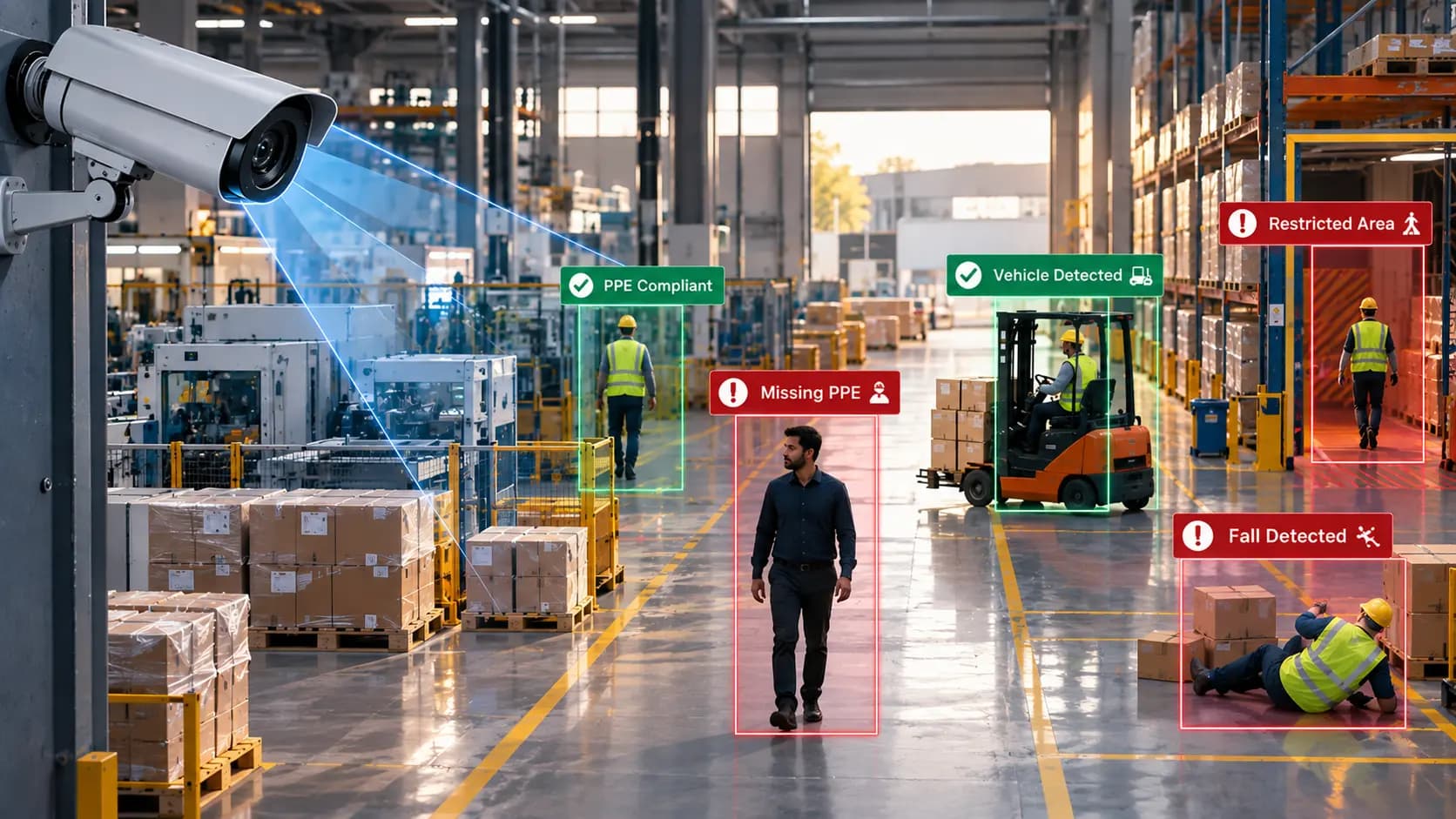
Relevant capabilities may include PPE detection, intrusion detection and event-based video review.
2. Warehouses and Logistics Centres
Warehouses have multiple operational zones, including loading bays, storage areas and vehicle movement routes.
If an incident is reported near a loading area, forensic search can help teams locate potentially relevant recordings using a description of the activity or location.
Read more about AI video analytics for factory and warehouse safety.
3. Retail Stores
Retail security teams may need to review incidents involving missing inventory, restricted-area access or unusual activity.
Instead of starting with hours of manual playback, operators can use supported search features to narrow down footage that may be relevant to the reported event.
4. Hospitals and Healthcare Facilities
Hospitals need to review security incidents while maintaining patient privacy and following applicable data protection policies.
Forensic search can help authorised security personnel locate relevant footage around reported incidents, subject to access controls and the organisation's video surveillance policies.
5. Corporate Offices and Campuses
Large offices and campuses often have cameras covering entrances, corridors, parking areas and restricted zones.
When an incident is reported, search capabilities can help security teams locate potentially relevant recordings across supported camera feeds.
How to Find CCTV Footage When You Do Not Know the Exact Time
This is one of the most common problems during a security investigation.
Suppose someone reports that a person entered a restricted area sometime during the afternoon. They cannot remember the exact time, and the facility has several cameras.
With traditional CCTV playback, the operator may have to review a broad time range across multiple camera feeds.
An AI forensic search platform with natural-language search capabilities can make the process more straightforward.
A possible workflow could look like this:
- Start with the available incident details.
- Describe the person, activity or location in the search query.
- Add a time range or camera filter if known and supported.
- Review the potentially relevant footage returned by the search.
- Verify the incident using the original recordings and surrounding context.
For example, a query such as "Find someone entering the restricted storage area" may help narrow the search.
The operator can then review the retrieved footage and investigate the event further.
This approach is particularly useful when the incident description is available but the exact timestamp is not.
What Should You Look for in an AI Forensic Search Platform?
Not every CCTV platform offers the same search capabilities. Before choosing a solution, security teams should consider the following.
Natural-Language Search
Can operators describe a person, object or activity in plain English instead of relying entirely on manual camera and timestamp selection?
Multi-Camera Search
Can the platform search across multiple connected cameras, subject to supported integrations and permissions?
Integration With Existing Cameras
Does the solution support the organisation's existing camera infrastructure? Check supported protocols, camera models and integration requirements.
Event Detection Capabilities
Can the platform identify relevant security events, such as intrusion, line crossing, PPE non-compliance or falls, where supported?
Access Controls and Auditability
Can administrators manage who can view recordings and search results? Are user actions and relevant events recorded for accountability?
Deployment Flexibility
Does the platform support the organisation's infrastructure requirements, including cloud, hybrid or air-gapped deployment where available?
These considerations help organisations evaluate whether a platform can support their actual security investigation workflows.
How YugYog Supports AI-Powered CCTV Search
YugYog helps organisations make their existing camera infrastructure more intelligent by adding AI-powered video analytics, event intelligence and forensic search capabilities.
Its platform is designed to work with supported IP camera environments and can be deployed through cloud, hybrid or air-gapped architectures, depending on the organisation's requirements.
With YugYog's forensic search capabilities, security teams can search recorded footage using plain-English descriptions and investigate potentially relevant events without relying entirely on manual playback.
For example, an operator may search for:
- A person wearing a black jacket.
- Someone running near an entrance.
- A person falling inside a facility.
- Someone carrying an object near a loading area.
The search helps surface potentially relevant footage for further review. Actual results depend on the supported search capabilities, camera coverage and quality of the available recordings.
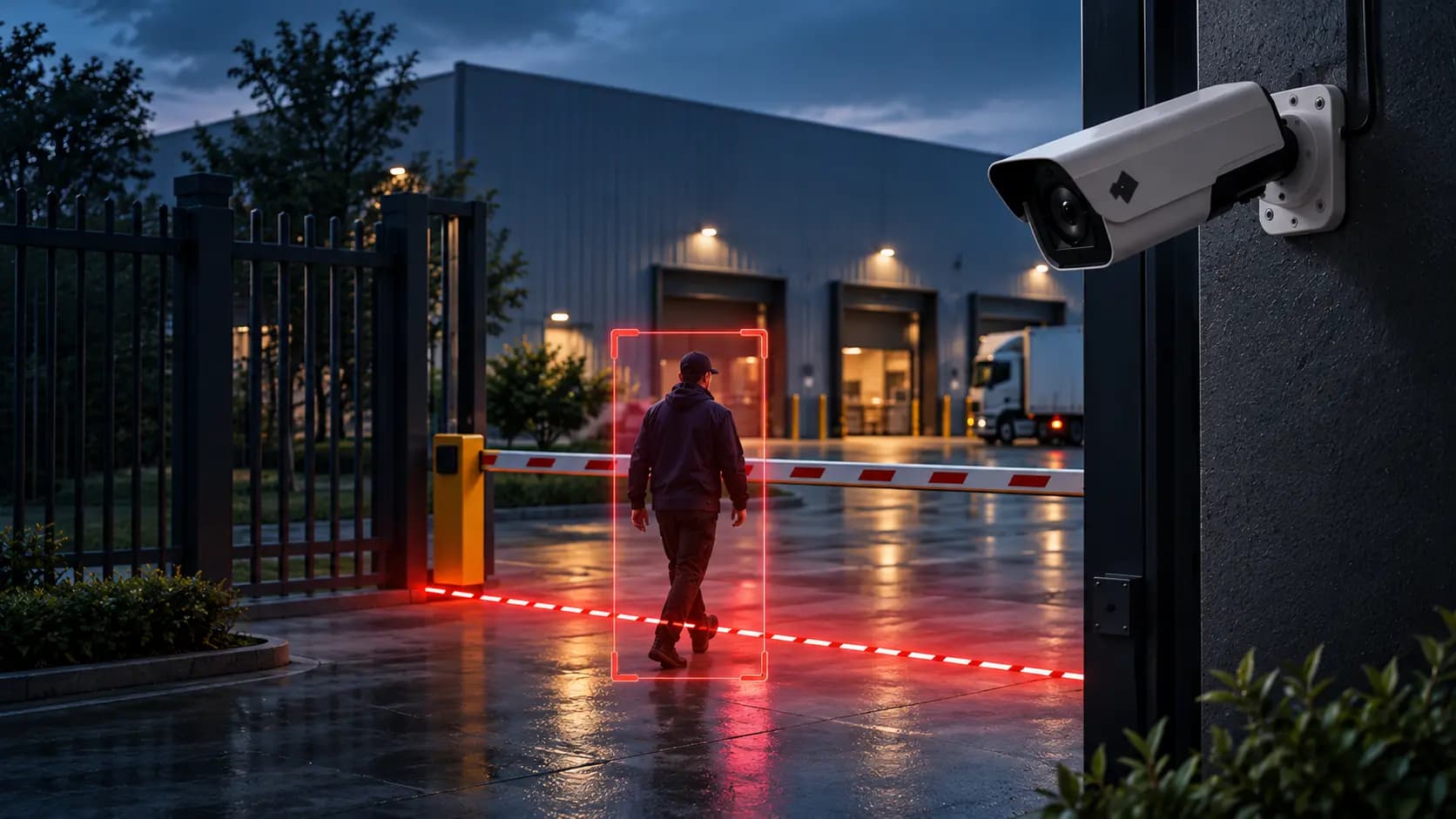
Beyond forensic search, YugYog supports video analytics capabilities such as intrusion detection, line crossing, restricted-zone monitoring, PPE compliance, fall detection and fire and smoke detection, subject to supported configurations.
The platform also includes event intelligence and security features designed to support controlled access and auditable video operations.
The Future of CCTV Investigation Is Searchable
CCTV systems have traditionally been used to record what happens. But recording footage is only one part of security operations. Teams also need to find, review and understand relevant incidents when they occur.
AI forensic search makes recorded footage more accessible by helping operators search for specific people, objects or activities using supported search capabilities.
For organisations managing multiple cameras and large volumes of recordings, this can make incident investigation more practical and less dependent on manual playback.
As video analytics evolves, the value of CCTV will increasingly depend not only on what cameras record, but also on how effectively security teams can find and act on that information.
If your organisation wants to make existing CCTV infrastructure more searchable and intelligent, explore YugYog to learn how AI-powered video analytics and forensic search can support your security operations.